
This guide takes you from download to a working plugin on a Rust server. Most plugin problems come from three things: the wrong folder, a missing or outdated framework, and config syntax errors. Taking a backup and installing on a quiet moment (or a test copy) turns all three into a two minute fix instead of an outage. Zombie Swarm Core is built around Oxide and Carbon, so have those ready.
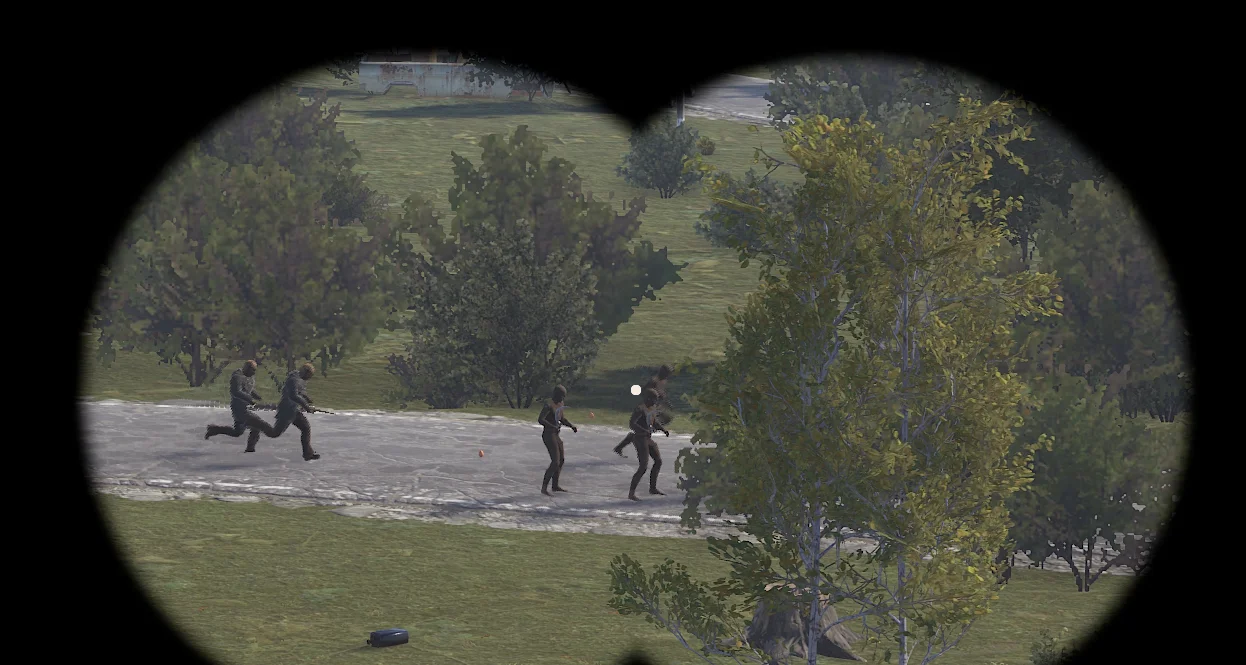
AlexProjects's screenshot gives you an idea of the end result you are aiming for.
Before you start
Gather these first. Installing Zombie Swarm Core with everything ready takes minutes; finding out halfway that something is missing is how servers end up broken.
- A Rust server you can upload files to.
- The mod framework your Rust server uses (usually Oxide/uMod or Carbon).
- A fresh backup of your server or project, taken right before you start.
Back up first
A backup turns any mistake during setup into a two minute rollback. It takes a moment and is the single best habit a server owner can have.
- Stop the server, or use your host's one click backup.
- Copy the whole oxide/plugins folder and the config folder next to it.
- Copy the world or save folder too if the resource touches player data.
- Name the backup with today's date so you can find it later.
Where files go on Rust
On Rust, Oxide/uMod or Carbon usually loads plugins from oxide/plugins (or carbon/plugins on Carbon). Paths are relative to the server's main folder, the one that holds the server executable. If Zombie Swarm Core came as a folder of its own, keep that folder intact: many loaders expect the files inside a folder named after the resource.
When something fails to load, the server console and the oxide/logs (or carbon/logs) folder are where the reason shows up.
Install steps
AlexProjects has not added step by step instructions to the listing, so these are the usual steps for a plugin on Rust. The creator's description has the details specific to Zombie Swarm Core; follow it wherever it differs.
- Download ZombieSwarmCore v1.0.9.zip (8.6 MB) from the resource page while signed in.
- Extract it on your computer first. Look inside before uploading: some archives contain a single folder that itself holds the files.
- Stop the server so files are not in use while you copy them.
- Copy the files to the folder Oxide/uMod or Carbon reads, usually oxide/plugins (or carbon/plugins on Carbon).
- Start the server and watch the console as it boots.
Applying the change
The creator does not say whether a restart is needed. A full restart always works; on Rust many plugins can also be reloaded with oxide.reload PluginName on Oxide, or c.reload PluginName on Carbon.
Check it worked
Do not open the server to players until these all hold:
- The console or log mentions Zombie Swarm Core loading, with no errors or warnings about missing files (check the server console and the oxide/logs (or carbon/logs) folder).
- You can see the change in game, or in Discord for bots.
Compare what you see with the creator's screenshot in Figure 2.
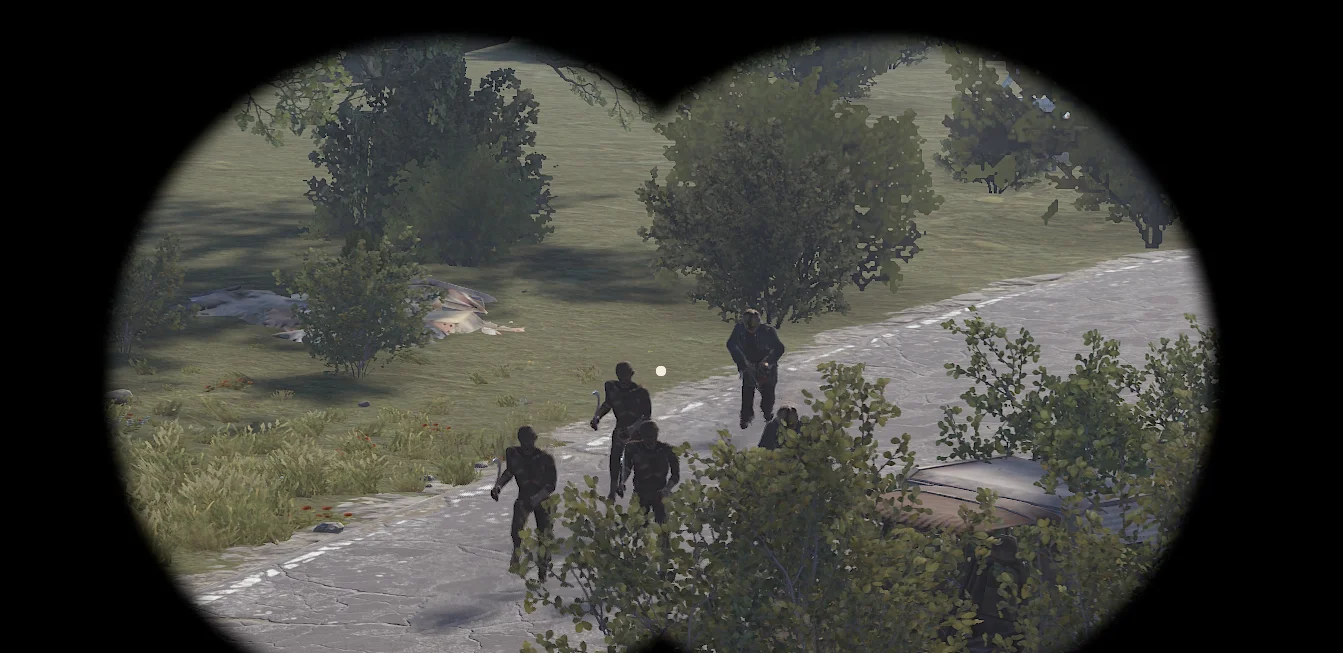
If your setup looks like this, Zombie Swarm Core is installed and running.
Installing on a rented server
Most Rust hosts give you a web file manager and FTP or SFTP access, which is all Zombie Swarm Core needs. Upload the files to the same folder you would use on your own machine, then restart from the host's panel.
Panel settings win
Hosting panels often override config files with their own settings or launch parameters. If a change seems ignored, check the panel first.
After installing
- Write down the version you installed; you will need it when asking for help or updating.
- Keep the original download in your backups so you can reinstall the same version later.
- Tell your players what Zombie Swarm Core adds, so they know what to try.
Next steps
- Configuration guide : tune the settings to your server.
- Troubleshooting : if anything above did not go to plan.
Screenshot reference: Figure 1.
About this page
Compiled by GameServersHub on October 25, 2026 from the live listing for Zombie Swarm Core, published by AlexProjects. Details marked as the creator's are what they state on the listing. Where this page differs from the creator's own description or wiki pages, theirs apply.