Resources
Verified
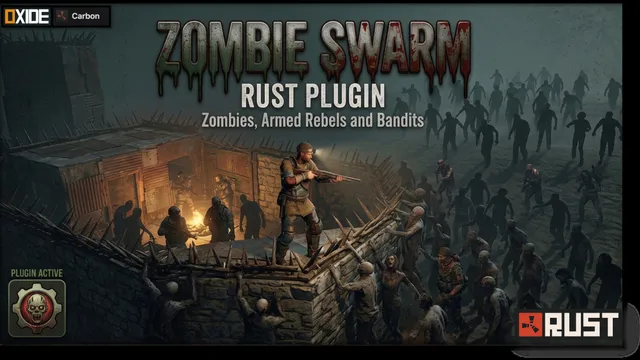
Zombie Swarm Core transforms the PvE experience by adding intelligent zombie (Scarecrows) hordes that roam the world as coordinated groups. These infected patrol key areas, detect nearby players, and work together when pursuing their prey, creating encounters that feel dynamic and challenging rather than scripted. With customizable spawn schedules and realistic group behavior, every encounter becomes a memorable survival experience.
Zombie Swarm Core gives you complete control over the threat cycle:
Classic Terror: Hordes appear only at dusk.
Daytime Scourge: Keep players on edge even in broad daylight.
24/7 Survival: Configure the swarm to be a constant and relentless threat.
Custom Time Windows: Define the exact start and end times for horde activity.
Nighttime Visual Effects: Optional glowing eyes effect for terrifying nighttime encounters.
Auto-Cleanup: Automatically removes NPCs and corpses when the event ends.
Coordinated Movement: NPCs move as a unified swarm, maintaining formation.
Dynamic States:
Patrol Mode: Guards areas when no players are nearby
Chase Mode: Aggressively hunts players on detection
Hive-Mind System: Damage one zombie… and the entire squad aggroes instantly.
Adaptive Behavior: Zombies change actions dynamically at configurable intervals.
No Map Scanning: Uses smart player-radius spawning
Physics Optimized: Cached environmental checks
High-Speed Data Handling: Uses HashSets for fast entity management
Automatic Cleanup System: Prevents entity buildup and lag
Efficient, immersive, and fully customizable:
Player-Based Spawning: Hordes spawn dynamically around players
Distance Control: Configure minimum and maximum spawn range
Horde Limits:
Max zombies globally
Hordes per player
Zombies per horde
🔄 Auto Refill: Keeps the pressure constant by replenishing hordes over time
Bring life (and fear) to your zombies:
Sprint Probability: Chance for zombies to sprint during patrol
Behavior Intervals: Control how often zombies switch actions
Formation Spacing: Adjust how tightly squads move together
Key Features:
✅ Configurable settings
✅ Strategic performance checks
✅ Administrative commands
✅ Server optimized
👉 Zombie Swarm Core vs Zombie Swarn PRO
Permission:zombieswarm.admin (or server admin)
/swarms - Displays the current status of active hordes and global entity count.
A default ZombieSwarmCore.json will be generated in your oxide/config folder. You can customize the basic behavior of the night swarm:
{
  "1. General Settings": {
    "Hordes Always (24/7)": false,
    "Start Hour (0-24)": 12.0,
    "End Hour (0-24)": 18.0,
    "Clear Corpses On End": true,
    "Enable Status Message": true,
    "Status Message Interval (Minutes)": 2.0
  },
  "2. Horde Management": {
    "Zombies Per Horde (Max 6)": 6,
    "Max Global Zombies (Max 60)": 40,
    "Hordes Per Player (Max 2)": 2,
    "Refill Hordes": true,
    "Drop Loot": false
  },
  "3. Combat Settings": {
    "Detection Range (m)": 20.0,
    "Target Lost Range (m)": 60.0,
    "Hive-Mind (Aggro whole squad on damage)": true,
    "Zombie Health (HP)": 150.0
  },
  "4. Spawning Logic": {
    "Spawn Min Distance (m)": 50.0,
    "Spawn Max Distance (m)": 60.0
  },
  "5. Movement & Formations": {
    "Zombie Speed Multiplier (0.1 - 1.0)": 0.5,
    "Squad Formation Spacing (m)": 2.0
  },
  "6. Patrol Behavior": {
    "Patrol Sprint Probability (%)": 40,
    "Behavior Change Interval (Seconds)": 12.0
  },
  "7. Visuals Settings": {
    "Enable Glowing Eyes": true,
    "Death Sound Prefab": "assets/bundled/prefabs/fx/player/gutshot_scream.prefab"
  }
}
Drag ZombieSwarmCore.cs into your oxide/plugins folder.
The plugin will automatically start working at the next sunset (Default: 19:00).
(Optional) Adjust the night hours in the config file to match your server's day/night length.
If you find any bugs or would like to see new features, please let me know and we’ll gladly find a way to implement them.
This plugin is constantly maintained and will continue to evolve with new smart features, gameplay improvements, and more fun mechanics.
Your feedback helps shape the future of this project.
Answered by AlexProjects.
The plugin is fully configurable. By default, it's designed for the night cycle (e.g., 7 PM to 7 AM), but you can enable the "Hordes Always" (24/7) option in the configuration file to have hordes constantly stalking players.
Administrators with the zombieswarm.admin permission can use the chat command /swarms. This command displays a detailed report that includes the number of active swarms, the total number of entities on the map, and the configured maximum limit, allowing you to adjust the server load instantly.
Sign in to leave a review
Sign InNo reviews yet
Be the first to share your experience with this resource.
No version history available
The creator hasn't published version updates yet.
ZombieSwarm Core is optimized for high-traffic servers. It includes strict limits: a maximum of 60 zombies globally and a limit on the number of zombies per player. Additionally, it uses an automatic cleanup system that removes corpses and NPC inventory when the event ends or the server restarts, preventing the accumulation of entities.
You can control this with the Drop Loot option. If it's set to true, zombies will drop the default items from scarecrows. If you prefer a cleaner or more challenging experience, you can set it to false so their inventories are automatically emptied upon death.
Verify the necessary permits
Answered from this listing's live data and GameServersHub's policies, and updated as the listing changes. Where the creator's answers above differ, theirs apply.
Zombie Swarm Core | Zombie Events for Rust is a plugin for Rust, published on GameServersHub by AlexProjects. Enhance your server’s danger with Zombie Swarm Core. Experience intelligent squad AI and hive-mind hordas that create a relentless survival challenge for player.
It is listed under Plugins for Rust. The creator answers 5 questions about it in their own words at the top of this FAQ.
Zombie Swarm Core is made for Rust servers.
GameServersHub lists 3 Rust resources in total, and this one sits in the Plugins category.
Zombie Swarm Core is in Plugins, the category for server plugins, mods, extensions, and add-ons for game servers.
The category holds 29 resources across every game, 3 of them for Rust.
Zombie Swarm Core is aimed at server owners and admins who want to add features to their Rust server. In the creator's words: Enhance your server’s danger with Zombie Swarm Core. Experience intelligent squad AI and hive-mind hordas that create a relentless survival challenge for player.
Read the description and the creator's answers above to check it fits your setup before you commit to it.
Zombie Swarm Core was created and published by AlexProjects, a GameServersHub member since May 21, 2026 (160 days ago). AlexProjects has 2 resources on the site.
Their profile lists everything they have published and the reviews they have written.
Besides Zombie Swarm Core, AlexProjects has published:
See the full list on AlexProjects' profile.
The creator lists Oxide and Carbon in its tags, so expect to need those on the machine that runs it.
The description names exact versions and any other requirements.
The gallery on this page has 5 screenshots of Zombie Swarm Core and a video walkthrough you can play right on the page.
They show: dangerous hordes day and night, zombie groups and you touch one and they all follow.
Zombie Swarm Core does not have a separate wiki. The full write up is in the Description tab on this page.
The creator also answers 5 questions directly in the FAQ above.
Here is what this listing gives you, as of October 29, 2026:
Yes. Zombie Swarm Core is free to download on GameServersHub. There is no payment step, subscription or trial limit.
You only need a free GameServersHub account, which you can create by signing in with Discord or Steam.
Yes. Zombie Swarm Core is free, so every new release the creator publishes on this page is free too. Download the latest version from the same button.
Before you commit, check these points from this page:
Yes. Downloads need a GameServersHub account so the file is delivered to you and your access is recorded. Accounts are free: sign in with Discord or Steam, there is no separate password.
The current release is 8.6 MB. That is small enough to upload to a rented server through its web file manager.
GameServersHub stores the Zombie Swarm Core file itself, so you download it directly from this page rather than from a third party mirror.
Each download link is made for you when you press the button, works once, and expires within about a minute, so links cannot be shared or hotlinked.
Zombie Swarm Core is published by AlexProjects, whose profile shows their history on the site. Listings go live when the creator publishes them, and GameServersHub moderators remove any listing found to be harmful or misleading.
Nobody has reviewed it yet.
As with anything you install on a server, scan the file, read the code or config where you can, and test on a copy first.
The usual steps are:
The creator's description has the exact folders and settings for Zombie Swarm Core. Where they differ from this outline, follow the creator.
From this listing's data, you need:
The creator's description has exact version numbers and anything specific to your platform.
No. The creator confirms Zombie Swarm Core works on its own, with no other GameServersHub resources needed.
Usually, yes. If your host gives you file access to the server (a web file manager, FTP or SFTP), you can upload Zombie Swarm Core the same way as on your own machine.
Some hosts lock certain folders or only allow mods from their own list. Check that your plan allows custom files, and check the description for anything that needs extra access, such as a database or a framework install.
Back up the folders it writes to and every config file it replaces. With a copy you can roll back in minutes if Zombie Swarm Core conflicts with something else on the server.
Many hosts have a one click backup in their panel; take one right before you install.
The creator has not published a config preview for Zombie Swarm Core. The description explains which settings you can change.
GameServersHub does not test resources against each game patch, so go by the release history. It is on version 1.0.9, first published June 8, 2026, with no separate release history recorded here.
If a recent game update changed something it relies on, the newest reviews on this page and the creator's changelog in the Versions tab are the quickest way to find out.
The current version is 1.0.9.
The Download button on this page always gives you the latest version.
Zombie Swarm Core was first published on GameServersHub on June 8, 2026, 142 days ago.
No release notes are published on GameServersHub for Zombie Swarm Core yet; it is listed at version 1.0.9. When the creator publishes a new version, its notes appear in the Versions tab.
GameServersHub has no release history for Zombie Swarm Core beyond its current version, 1.0.9, published June 8, 2026. The description and recent reviews are the best guide to its current state.
Download the latest release from this page, back up your current config, then replace the old files with the new ones and restart.
Read the changelog in the Versions tab first: major releases can change config options, so compare your old settings with the new defaults.
Unless the creator sets different terms in the description or the creator's answers above, downloading Zombie Swarm Core gives you a personal, non-exclusive license to use it for running your own game servers or projects. It is not a transfer of ownership.
Read the full wording in the resource license terms.
The default license covers your own game servers or projects, so running Zombie Swarm Core on several servers you operate is allowed unless the creator says otherwise in the description or the creator's answers above.
Servers you run for someone else, such as a client, are not your own; ask the creator first.
Changing its settings for your own servers is what the config is for. Deeper edits for your own use are not forbidden by the default license, but sharing an edited copy still counts as redistribution, which is not allowed without the creator's permission.
Keep a note of your changes: updates to Zombie Swarm Core can overwrite edited files.
No, unless the creator explicitly allows it. The default license forbids redistributing, reselling, leaking or publicly mirroring Zombie Swarm Core or any part of it, and passing it off as your own work.
Breaking the license can end your access and your account. Spotted a leaked copy? Tell the creator or GameServersHub staff.
The default license does not require an on-screen credit, but you may not present the work as your own. If AlexProjects asks for credit in the description or the creator's answers above, follow that.
A short credit in your server info or Discord is a good way to support creators either way.
Start with the description and the creator's answers above. Still stuck? Describe the problem in a review so AlexProjects sees it, with your version, your server setup and the exact error message.
You can also ask in the GameServersHub Discord, where creators and server owners help each other.
For a bug or setup issue, tell the creator in a review. If the listing itself looks wrong (stolen work, a harmful file or a misleading description), contact GameServersHub staff in the GameServersHub Discord or through the contact details in the terms of service. Moderators can hide or remove listings.
Yes. Any signed in member can rate Zombie Swarm Core from one to five stars and write about their experience in the Reviews tab.
Specific reviews (your game version, setup and what worked) help other server owners most.
Yes. Any member can upload a resource, free or paid. Creators keep their sales minus a small platform fee and are paid through Stripe or PayPal. See becoming a creator for plans and fees.
Zombie Swarm Core has 23 downloads (5 in the last 30 days) and 23 page views on GameServersHub. Among 3 Rust plugins it ranks number 2 by downloads.
Zombie Swarm Core has not been reviewed yet. Once you sign in you can be the first to rate it in the Reviews tab.
That depends on what your server needs, so here are the facts to weigh: it is free, nobody has reviewed it yet, it has 23 downloads and the creator answers 5 questions above.
Compare it with similar resources and read the full description against your own setup.
The most downloaded other Rust plugins on GameServersHub:
See all Rust plugins.
Recently published:
See the newest first.
Outside Rust, the most downloaded plugins on GameServersHub are:
Browse every Plugins resource.
2 creators publish Rust resources here. The most downloaded:
Browse all 3 Rust resources on GameServersHub, from plugins and maps to Discord bots and server packs.
There is also a dedicated catalogue of Rust skins.
Rust is a survival game by Facepunch Studios. Plugins via Oxide/uMod and Carbon. Server owners use resources like Zombie Swarm Core to customise and run their own Rust servers.