
One config file. Every info command your server needs.
InfoCommands lets you build your own chat commands like /rules and /links from one config file, plus a join welcome, so new players get their answers fast.
Sooner or later every server needs a rules command, a links command, and a friendly line for fresh joins. InfoCommands covers the lot from one config file and you never touch code to do it. Each block in the config becomes one chat command with its own colour, its own cooldown, and either plain lines or a list of links. Staff only commands and a help menu that builds itself come along for the ride.
config.json. Each block makes one command, like /rules or /links.{server}, {online}, {map}, {player}, {time} or {date} into any line and I fill them in as the command runs./help list only shows the commands that player is actually allowed to use, so it never goes stale.| Command | What It Does | Where |
|---|---|---|
InfoCommands.Reload |
Reload the config and rebuild every command with no restart. | Both |
InfoCommands.List |
Print every chat command that is set up right now. | Console |
InfoCommands.Post <command> |
Post one info block into your Discord channel. | Both |
You name every player command yourself in config.json, so rename or remove any of these. This is the set that ships in the default config.
| Command | What It Does |
|---|---|
/rules |
Show your server rules. |
/links |
Show your server links, like Discord, the store, and voting. |
/discord |
Show your Discord invite. |
/wipe |
Show the next wipe date. |
/staff |
A staff only note, locked behind a permission node. |
/help |
The menu of commands that player is allowed to use, built for you. |
| Node | What It Unlocks |
|---|---|
InfoCommands.Staff |
The example node on the shipped /staff command. You pick your own node names on any command you want to lock. |
Put a Permission field on any command block and only players holding that node see it in /help or may run it. When the Permissions plugin is missing or the check is off, a gated command stays hidden and locked for everybody. That is fail closed on purpose, so a staff note can never leak. Commands with no node are open to all.
To see every configuration option, visit our docs. To edit your config files the easy way, open our configuration editor.
InfoCommands folder into ArkApi/Plugins/. Keep the folder named InfoCommands, since AsaApi will not load a plugin whose folder and DLL names differ.InfoCommands/config.json and set up your commands, your tags and your colours.AsaApiLoader.exe.ArkApi.log for the loaded line, then try /help in game.Stuck on a step, or seeing an error you do not like? Come and ask in the Discord and I will sort it out with you: https://discord.gg/8GGaEzWk9p
What does InfoCommands do?
InfoCommands turns one config file into all the info commands your server needs. Every block you write becomes a chat command with its own colour, cooldown and text, so a rules command, a links menu, a wipe date and a staff note all come from the same place with no code involved.
How do I install InfoCommands?
Unzip the download and drop the InfoCommands folder into ArkApi/Plugins/, keeping the folder name so it matches the DLL. Set up your commands in config.json, then restart the server through the AsaApi loader and look for the loaded line in ArkApi.log.
Can I add my own commands and rename the ones that ship?
Yes, that is the whole point of it. Each block in config.json makes one command with its own colour, cooldown, header, lines or links. Add, drop or rename blocks whenever you like, run InfoCommands.Reload, and the new set is live.
Does it need Permissions or ArkShop?
No. InfoCommands runs on its own and never touches a shop. Permissions is only checked when you put a node on a command, and without it those gated commands stay hidden and locked while everything else carries on as normal.
Are the online and map tags live?
Yes. Tags are filled in the moment a player runs the command, so {online} shows the count right then and not a number from when the server booted. The same goes for {map}, {time}, {date}, {server} and {player}.
Does it add a welcome message for new joins?
It can. Switch the join message block on and a new player gets your lines a few seconds after they load in. It ships off, because it is the one game hook I use, and if a game patch ever breaks that hook I turn the welcome off myself and write a note in the log.
Was any AI content used in the making of this?
The source code itself was fully created by myself. I do use ChatGPT occasionally to generate product images, and I do use ChatGPT to generate the website descriptions. I do this because I don't speak native English perfectly. I am natively from Sweden, so I use GPT to help translate and write product descriptions. I also will sometimes use GPT to write better English logs. Majority of my Free plugins are open source, so you can review the code yourself and freely fork and edit it to your liking.
Answered from this listing's live data and GameServersHub's policies, and updated as the listing changes.
InfoCommands | Custom /rules and /links Commands for ASA is a plugin for ARK: Survival Ascended, published on GameServersHub by Lucas F. InfoCommands lets you build your own chat commands like /rules and /links from one config file, plus a join welcome, so new players get their answers fast.
It is listed under Plugins for ARK: Survival Ascended.
InfoCommands is made for ARK: Survival Ascended servers.
GameServersHub lists 28 ARK: Survival Ascended resources in total, and this one sits in the Plugins category.
InfoCommands is in Plugins, the category for server plugins, mods, extensions, and add-ons for game servers.
The category holds 29 resources across every game, 26 of them for ARK: Survival Ascended.
InfoCommands is aimed at server owners and admins who want to add features to their ARK: Survival Ascended server. In the creator's words: InfoCommands lets you build your own chat commands like /rules and /links from one config file, plus a join welcome, so new players get their answers fast.
Read the description and the creator's answers above to check it fits your setup before you commit to it.
InfoCommands was created and published by Lucas F, a GameServersHub member since October 2, 2026 (20 days ago). Lucas F has 25 resources on the site.
Their profile lists everything they have published and the reviews they have written.
Besides InfoCommands, Lucas F has published:
See the full list on Lucas F's profile.
The gallery on this page has 5 screenshots of InfoCommands.
They show: nordbots ark asa ase server plugin collection, nordbots ark asa ase server customization plugins, nordbots ark asa ase server plugins website and nordbots ark server plugins wiki setup guides.
InfoCommands does not have a separate wiki. The full write up is in the Description tab on this page.
Here is what this listing gives you, as of October 23, 2026:
Yes. InfoCommands is free to download on GameServersHub. There is no payment step, subscription or trial limit.
You only need a free GameServersHub account, which you can create by signing in with Discord or Steam.
Yes. InfoCommands is free, so every new release the creator publishes on this page is free too. Download the latest version from the same button.
Before you commit, check these points from this page:
Yes. Downloads need a GameServersHub account so the file is delivered to you and your access is recorded. Accounts are free: sign in with Discord or Steam, there is no separate password.
The current release is 206 KB. That is small enough to upload to a rented server through its web file manager.
GameServersHub stores the InfoCommands file itself, so you download it directly from this page rather than from a third party mirror.
Each download link is made for you when you press the button, works once, and expires within about a minute, so links cannot be shared or hotlinked.
InfoCommands is published by Lucas F, whose profile shows their history on the site. Listings go live when the creator publishes them, and GameServersHub moderators remove any listing found to be harmful or misleading.
The latest release has a published SHA-256 checksum (ecc7f1dd7f61...) that GameServersHub verified at upload. Compare it with your download to confirm the file is unchanged.
Nobody has reviewed it yet.
As with anything you install on a server, scan the file, read the code or config where you can, and test on a copy first.
The usual steps are:
The creator's description has the exact folders and settings for InfoCommands. Where they differ from this outline, follow the creator.
From this listing's data, you need:
The creator's description has exact version numbers and anything specific to your platform.
No other GameServersHub resources are listed as required for InfoCommands. Check the description for software it expects on the machine itself.
Usually, yes. If your host gives you file access to the server (a web file manager, FTP or SFTP), you can upload InfoCommands the same way as on your own machine.
Some hosts lock certain folders or only allow mods from their own list. Check that your plan allows custom files, and check the description for anything that needs extra access, such as a database or a framework install.
Back up the folders it writes to and every config file it replaces. With a copy you can roll back in minutes if InfoCommands conflicts with something else on the server.
Many hosts have a one click backup in their panel; take one right before you install.
The creator has not published a config preview for InfoCommands. The description explains which settings you can change.
GameServersHub does not test resources against each game patch, so go by the release history. The latest release, 0.0.1, came out on July 21, 2026 (93 days ago).
If a recent game update changed something it relies on, the newest reviews on this page and the creator's changelog in the Versions tab are the quickest way to find out.
Its impact depends on your player count and settings, and GameServersHub does not benchmark resources. Any figures the creator gives are in the description.
A safe way to find out: install it on a test copy, watch CPU, memory and tick rate with your normal player load, then compare with the server before.
The latest version is 0.0.1, released on July 21, 2026. It is a patch release, which fixes bugs without changing features.
The Download button on this page always gives you the latest version.
InfoCommands was first published on GameServersHub on July 21, 2026, 93 days ago.
The creator's notes for 0.0.1 (July 21, 2026): Version 0.0.1. Imported from the developer's release catalog.
Its last release, 0.0.1, came out 93 days ago (July 21, 2026). That can mean it is stable rather than abandoned, so check recent reviews and the description.
Download the latest release from this page, back up your current config, then replace the old files with the new ones and restart.
Read the changelog in the Versions tab first: major releases can change config options, so compare your old settings with the new defaults.
Unless the creator sets different terms in the description, downloading InfoCommands gives you a personal, non-exclusive license to use it for running your own game servers or projects. It is not a transfer of ownership.
Read the full wording in the resource license terms.
The default license covers your own game servers or projects, so running InfoCommands on several servers you operate is allowed unless the creator says otherwise in the description.
Servers you run for someone else, such as a client, are not your own; ask the creator first.
Changing its settings for your own servers is what the config is for. Deeper edits for your own use are not forbidden by the default license, but sharing an edited copy still counts as redistribution, which is not allowed without the creator's permission.
Keep a note of your changes: updates to InfoCommands can overwrite edited files.
No, unless the creator explicitly allows it. The default license forbids redistributing, reselling, leaking or publicly mirroring InfoCommands or any part of it, and passing it off as your own work.
Breaking the license can end your access and your account. Spotted a leaked copy? Tell the creator or GameServersHub staff.
The default license does not require an on-screen credit, but you may not present the work as your own. If Lucas F asks for credit in the description, follow that.
A short credit in your server info or Discord is a good way to support creators either way.
Start with the description. Still stuck? Describe the problem in a review so Lucas F sees it, with your version, your server setup and the exact error message.
You can also ask in the GameServersHub Discord, where creators and server owners help each other.
For a bug or setup issue, tell the creator in a review. If the listing itself looks wrong (stolen work, a harmful file or a misleading description), contact GameServersHub staff in the GameServersHub Discord or through the contact details in the terms of service. Moderators can hide or remove listings.
Yes. Any signed in member can rate InfoCommands from one to five stars and write about their experience in the Reviews tab.
Specific reviews (your game version, setup and what worked) help other server owners most.
Yes. Any member can upload a resource, free or paid. Creators keep their sales minus a small platform fee and are paid through Stripe or PayPal. See becoming a creator for plans and fees.
InfoCommands has 0 downloads and 1 page view on GameServersHub. It is one of 26 ARK: Survival Ascended plugins on the site.
InfoCommands has not been reviewed yet. Once you sign in you can be the first to rate it in the Reviews tab.
That depends on what your server needs, so here are the facts to weigh: it is free, nobody has reviewed it yet, it has 0 downloads and its latest release is 0.0.1 from July 21, 2026.
Compare it with similar resources and read the full description against your own setup.
The most downloaded other ARK: Survival Ascended plugins on GameServersHub:
Recently published:
See the newest first.
Outside ARK: Survival Ascended, the most downloaded plugins on GameServersHub are:
Browse every Plugins resource.
Browse all 28 ARK: Survival Ascended resources on GameServersHub, from plugins and maps to Discord bots and server packs.
ARK: Survival Ascended is a dinosaur survival game by Studio Wildcard. Server mods and configurations. Server owners use resources like InfoCommands to customise and run their own ARK: Survival Ascended servers.
Sign in to leave a review
Sign InNo reviews yet
Be the first to share your experience with this resource.
No version history available
The creator hasn't published version updates yet.
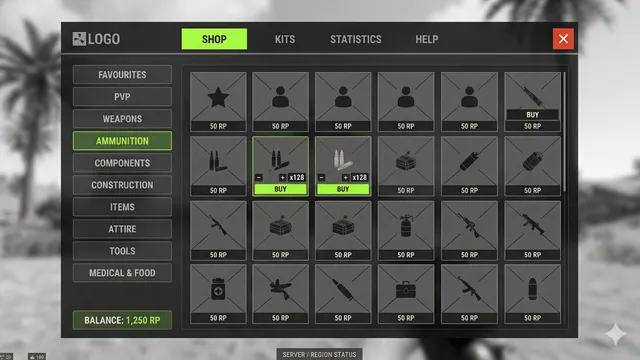
Transform your Rust Server with a Full-featured GUI shop system with multi-currency economy, player marketplace, auctions, trading, and NPC vendors.

Enhance your server’s danger with Zombie Swarm Core. Experience intelligent squad AI and hive-mind hordas that create a relentless survival challenge for player
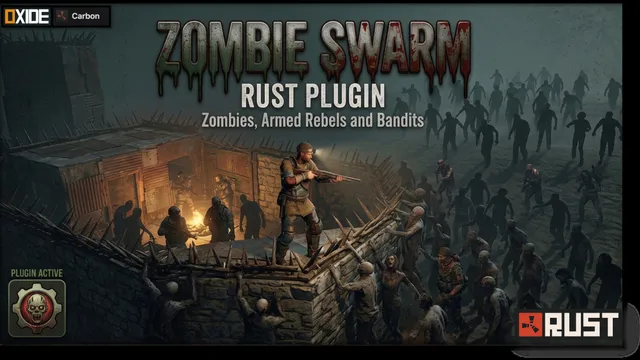
Transforms Rust's PvE mode with swarms of zombies or armed bandits that chase players, raid bases, and create an authentic apocalyptic survival
Build an ARK: Survival Ascended webstore with Tip4Serv and automatically deliver purchased items, ranks, points, and more to your players.