
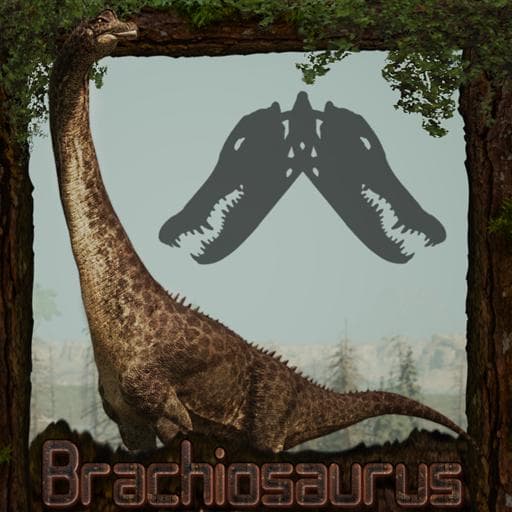
Tales From The Bayou: Brachiosaurus
by Gator_Boots(098-896-593)
Description
Tales From The Bayou brings you Brachiosaurus! A large sauropod from late Jurassic North America! This titanic sauropod provides combat buffs to smaller group members but also has a disdain for other large sauropods.
Credits:
Model/Rig/Textures: Raiden.
Animations: Ironcarnage101.
Sound Design: S4URO.
Skin Work: Fledged Feathers, Maxsentia, [Mars].
Subspecies: Bonk, Shrew.
Icon: Maxsentia
And a huge thank you to all my QA testers, plus boatman783 and pnoodle5 for all their help.
Thank you to the Primal Carnage team for the collab skin and subspecies!
How to install on a Path of Titans community server
Three steps. Stop the server first - mod changes only apply on startup.
- 1
Find the Mod ID
In Path of Titans, open the Mods page, select the mod, and copy the Mod ID (it looks like
UGC_M_...).For this mod:
UGC_M_N597DQGEWQ_SK(use the Copy button on the right). - 2
Edit your server files
- Log in to your server panel and STOP the server.
- Navigate to the config directory, usually:
/PathOfTitans/Saved/Config/LinuxServer - Open
GameUserSettings.iniand find or create the header:
[PathOfTitans.Mods]
EnabledMods=UGC_M_N597DQGEWQ_SK
#Tales From The Bayou: Brachiosaurus
Add a new
EnabledMods=ModIDline for each mod you want enabled. The#line is an optional comment - useful for keeping the file readable when you have many mods.Save the file and restart your server. The mod downloads on startup.
- 3
Setting up a custom map (if applicable)
If the mod is a custom map, you also need to set the map name in
Game.ini:- Get the map file name from the mod author or the mod files (look for a
.umap). - Open
Game.iniand add under the[/Script/PathOfTitans.IGameSession]header:
[/Script/PathOfTitans.IGameSession]
ServerMap=MapFileName
Save the file and start your server.
- Get the map file name from the mod author or the mod files (look for a
Patch history(18 entries)
Latest -Added new Growth Scale curves.
-Brachiosaur bodies are no longer capable of spaceflight.
-Made Swansong call useable solo, provides a 50% health recovery buff and a 15% stamina recovery buff when used, Lowered it's cooldown from 5 minutes to 3.
-Lowered cooldown on Primal Reckoning to one minute, upped its damage to 120
-Titanic Swerve has returned.
-Lowered slow walk turn speed.
-Lowered barricade of the behemoth cooldown to 2:00, from 5:00.Updated to latest game version.
-Fixed incorrect value for swansong.
-Adjusted character screen camera.
-Front Pulverize is now useable in movement.-Drinking/Eating Adjustments.
-Upped Tail Slap CD by 1 second.
-Upped hunger drain ever so slightly.
-Increased knockback on body slam to 15
-Increased range on monolith of the morrison to 75 meters, along with the hides.
-Monolith of the morrison and Hides now only affect group members 4000 combat weight and below, from 4650.
-Adjusted colors on Leucistic skin.-Added Balthazar skin
-Upped cooldown on tail slap to 5 seconds
Tail Slap Patch
-Lowered damage to 50, from 60
-Lowered cooldown to 3 seconds, from 6
-Upped knockback to 6, from 5.-Disabled Titanic Swerve ability until fixed.
Updated for latest game version.
-Emotes will now cancel their sounds along with their animations.
-Fixed distance calls cutting off and made them play out of render.-Fixes
-Color adjustments for Genesis.