
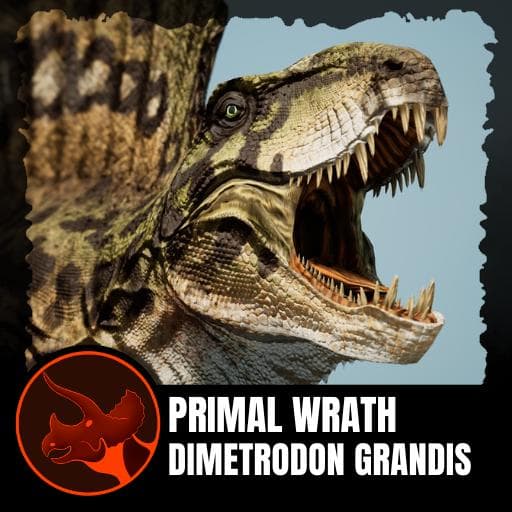
Primal Wrath's Dimetrodon grandis
by Feilong(421-083-480)
Description
Wrath of The Goliaths Modding Guild brings you Dimetrodon grandis, a 2-slot creature and one of the largest Dimetrodon species from the Permian period. Designed for Daytime-based Brawler gameplay, with synergy around the Permian and Sailed Carnivore tags.
Model tributes Original WoTG's game Dimetrodon, both models made by Manuelsaurus, original game licensed by Matthew Duncan
How to install on a Path of Titans community server
Three steps. Stop the server first - mod changes only apply on startup.
- 1
Find the Mod ID
In Path of Titans, open the Mods page, select the mod, and copy the Mod ID (it looks like
UGC_M_...).For this mod:
UGC_M_DYV7XW40GX_SK(use the Copy button on the right). - 2
Edit your server files
- Log in to your server panel and STOP the server.
- Navigate to the config directory, usually:
/PathOfTitans/Saved/Config/LinuxServer - Open
GameUserSettings.iniand find or create the header:
[PathOfTitans.Mods]
EnabledMods=UGC_M_DYV7XW40GX_SK
#Primal Wrath's Dimetrodon grandis
Add a new
EnabledMods=ModIDline for each mod you want enabled. The#line is an optional comment - useful for keeping the file readable when you have many mods.Save the file and restart your server. The mod downloads on startup.
- 3
Setting up a custom map (if applicable)
If the mod is a custom map, you also need to set the map name in
Game.ini:- Get the map file name from the mod author or the mod files (look for a
.umap). - Open
Game.iniand add under the[/Script/PathOfTitans.IGameSession]header:
[/Script/PathOfTitans.IGameSession]
ServerMap=MapFileName
Save the file and start your server.
- Get the map file name from the mod author or the mod files (look for a
Patch history(4 entries)
Latest Updated to latest game version.
Updated for latest game version.
-Removed 1 Head slot
-Added 1 Generic slot
-Moved Permian Bite to Generic
-All attacks now start CD after anim ends
-Reduced turn to match other 2 slots
-Permian Bite no longer deals bleed, damage reduced to 40, from 50
-Reduced Crushing Thrash bleed to 0.3 (was 0.5) and damage to 60 (was 75), increased cooldown to 7 seconds
-Reduced Permian Slicer bleed from 0.4 to 0.25, increased cooldown to 5 seconds
-Permian Piercer no longer deals bleed
-Implemented Post TLC passives
-Removed Legs slot
-Disabled Threatening Push UpsUpdated to latest game version.