
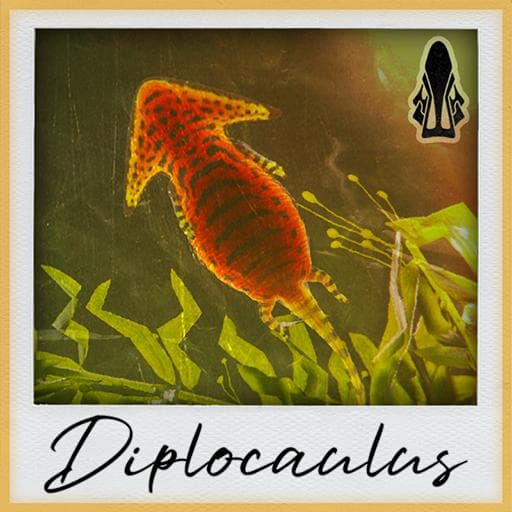
KTO Additions | Diplocaulus
by SergiKTO(211-411-649)
Description
Tiny but mighty, Diplocaulus is not to be taken lightly. This small semi-aquatic has an arsenal of abilities that aid in its survivability, from sliding on its belly for a speed boost and burrowing to avoid danger, to attacks and defenses that inflict venom and toxin. Above all else though, Diplocaulus uses its voice abilities to support teams of aquatic and semi-aquatic creatures.
Skins by Vivid, Fluff, and Sergi
Everything else by Sergi
Testers: Axol, Vivid, Toxic, Gooser, Blub, Pog, Martin, Fluff, and Sergi
How to install on a Path of Titans community server
Three steps. Stop the server first - mod changes only apply on startup.
- 1
Find the Mod ID
In Path of Titans, open the Mods page, select the mod, and copy the Mod ID (it looks like
UGC_M_...).For this mod:
UGC_M_JG1E96EQN5_SK(use the Copy button on the right). - 2
Edit your server files
- Log in to your server panel and STOP the server.
- Navigate to the config directory, usually:
/PathOfTitans/Saved/Config/LinuxServer - Open
GameUserSettings.iniand find or create the header:
[PathOfTitans.Mods]
EnabledMods=UGC_M_JG1E96EQN5_SK
#KTO Additions | Diplocaulus
Add a new
EnabledMods=ModIDline for each mod you want enabled. The#line is an optional comment - useful for keeping the file readable when you have many mods.Save the file and restart your server. The mod downloads on startup.
- 3
Setting up a custom map (if applicable)
If the mod is a custom map, you also need to set the map name in
Game.ini:- Get the map file name from the mod author or the mod files (look for a
.umap). - Open
Game.iniand add under the[/Script/PathOfTitans.IGameSession]header:
[/Script/PathOfTitans.IGameSession]
ServerMap=MapFileName
Save the file and start your server.
- Get the map file name from the mod author or the mod files (look for a
Patch history(5 entries)
Latest Updated to latest game version.
- Fixed oxygen drain on land, since it now affects health after the Leeds update
Updated to latest game version.
Updated for latest game version.
- Slimy Skin now adds armor instead of damage reduction. This allows playables like Tylo to not feel overwhelmed.
- Reduced Cleanse Health Recovery buff to 35% and Stamina Recovery to 10%
- Merged Ribbit and Diver together. Now usable solo, and the speed buff applies to everyone in your group.
- Decreased Rain Dance stamina buff to 100%, from 300%, and decreased its cooldown by 30 seconds.
- Updated descriptions to be more accurate