
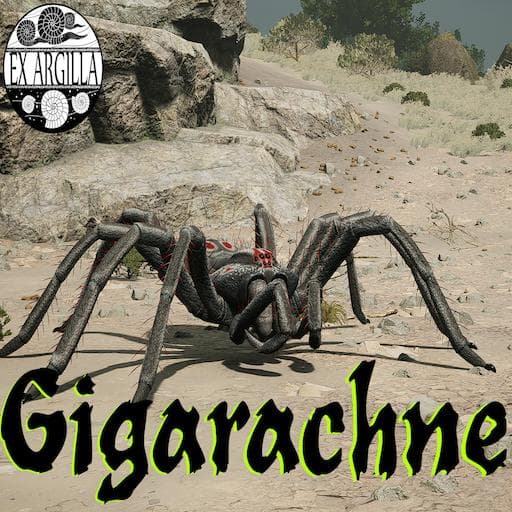
Ex Argilla Gigarachne
by Rogueterra94(473-509-123)
Description
THE ARTHROPODS ARE BACK!! - Gigarachne creeps into Path of Titans to dominate the shadows of Panjura and Gondwa, with blazing speed, a toxic bite, and the ability to use webs to slow down her quarry the Gigarachne has all the tools at her disposal to ambush and secure her next meal.
(A very special thank you goes out to the entire modding community because without them a good bit of what Gigarachne is capable of would not be possible and a special shout out to the Ex Argilla testers as well as ClaytonBaby, Bourbon, and Dupa for making sure Gigarachne is as fun as she could possibly be.)
How to install on a Path of Titans community server
Three steps. Stop the server first - mod changes only apply on startup.
- 1
Find the Mod ID
In Path of Titans, open the Mods page, select the mod, and copy the Mod ID (it looks like
UGC_M_...).For this mod:
UGC_M_W61088W0MD_SK(use the Copy button on the right). - 2
Edit your server files
- Log in to your server panel and STOP the server.
- Navigate to the config directory, usually:
/PathOfTitans/Saved/Config/LinuxServer - Open
GameUserSettings.iniand find or create the header:
[PathOfTitans.Mods]
EnabledMods=UGC_M_W61088W0MD_SK
#Ex Argilla Gigarachne
Add a new
EnabledMods=ModIDline for each mod you want enabled. The#line is an optional comment - useful for keeping the file readable when you have many mods.Save the file and restart your server. The mod downloads on startup.
- 3
Setting up a custom map (if applicable)
If the mod is a custom map, you also need to set the map name in
Game.ini:- Get the map file name from the mod author or the mod files (look for a
.umap). - Open
Game.iniand add under the[/Script/PathOfTitans.IGameSession]header:
[/Script/PathOfTitans.IGameSession]
ServerMap=MapFileName
Save the file and start your server.
- Get the map file name from the mod author or the mod files (look for a
Patch history(7 entries)
Latest Updated to latest game version.
- Added custom spidery nest
- Fixed missing physics material
- Added Wolf sub
- Added Hogna skin
- Added Egg Sac trophy
Updated to latest game version.
Updated for latest game version.
Updated to latest game version.