
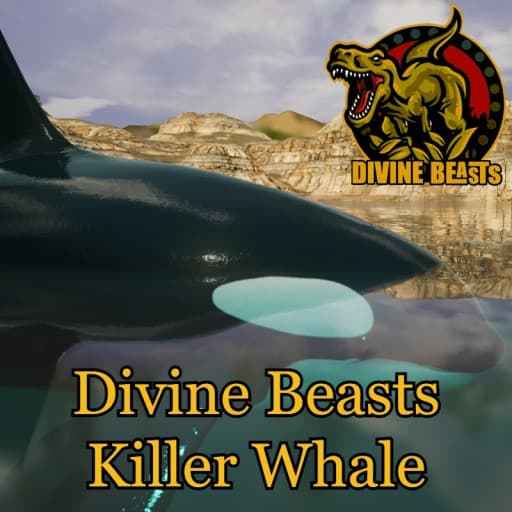
Divine Beasts: Orcinus Orca
by AlderonGamesMods(830-239-479)
Description
Divine Beasts is a Sciencefiction based mod, we don't claim realism and will take creative liberties where we see fit both in gameplay and design!
Orcas, or killer whales, are the largest of the dolphins and one of the world's most powerful predators. They're immediately recognizable by their distinctive black-and-white coloring. Smart and social, orcas make a wide variety of communicative sounds.
Made By:Sadech/FowlMarlee
How to install on a Path of Titans community server
Three steps. Stop the server first - mod changes only apply on startup.
- 1
Find the Mod ID
In Path of Titans, open the Mods page, select the mod, and copy the Mod ID (it looks like
UGC_M_...).For this mod:
UGC_M_12G0W137WK_SK(use the Copy button on the right). - 2
Edit your server files
- Log in to your server panel and STOP the server.
- Navigate to the config directory, usually:
/PathOfTitans/Saved/Config/LinuxServer - Open
GameUserSettings.iniand find or create the header:
[PathOfTitans.Mods]
EnabledMods=UGC_M_12G0W137WK_SK
#Divine Beasts: Orcinus Orca
Add a new
EnabledMods=ModIDline for each mod you want enabled. The#line is an optional comment - useful for keeping the file readable when you have many mods.Save the file and restart your server. The mod downloads on startup.
- 3
Setting up a custom map (if applicable)
If the mod is a custom map, you also need to set the map name in
Game.ini:- Get the map file name from the mod author or the mod files (look for a
.umap). - Open
Game.iniand add under the[/Script/PathOfTitans.IGameSession]header:
[/Script/PathOfTitans.IGameSession]
ServerMap=MapFileName
Save the file and start your server.
- Get the map file name from the mod author or the mod files (look for a
Patch history(6 entries)
Latest Updated to latest game version.
Fixed Max Health curve from 150/300/500/600/700 to 150/262.5/450/700/900 (by growth stage)
Fixed Combat Weight curve from 500/1800/3200/4000/5200 to 300/1500/2750/3750/4500
Fixed Armor from 1.1 to 1.0
Fixed Water Vision from a flat 5.0 to a flat 1.1
Fixed Oxygen Recovery Rate from a flat 50 to a flat 20
Fixed Leg Heal Rate from 0.5 to 1.0
Fixed dehydration damage from a flat 1.0 to a flat 5.0
Fixed suffocation damage from a flat 1.0 to 2/2.5/3/4/5 (by growth stage)
Fixed bleed resistance while resting from 0.75 to 1.0, and while sleeping from 0.5 to 1.0
Fixed bleed heal rate while resting from 6 to 2, and while sleeping from 9 to 3
Fixed meat decay rate at adult growth stage from 0.5 to 1.0
Fixed Bite damage adult value from 50 to 65
Fixed Ram cooldown from 2s to 8s
Fixed Tail Spin cooldown from 4s to 10s
Fixed Clamp carry-stamina-drain from 0.07 to 0.5
Fixed Lone Survivor acceleration buff from 2.0 (100%) to 1.2
Fixed Liver Tear food gain from 65 to 40
Fixed Ambush buff from 1.25 to 1.5Updated to latest game version.
Updated for latest game version.
Fixed: Echolocation not being able to be used.
Pre Testing Build.
JUST FOR FUNCTIONALITY TESTING!