
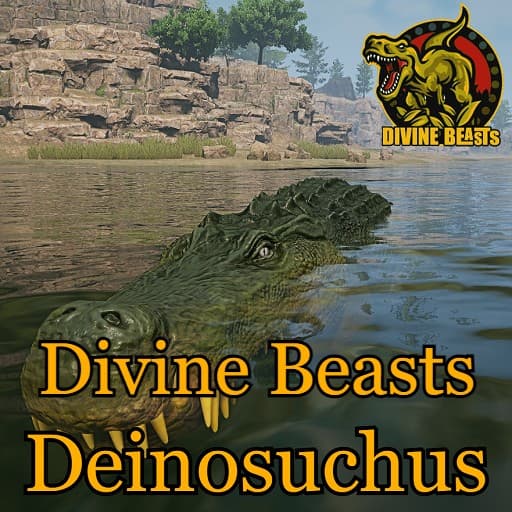
Divine Beasts: Deinosuchus
by AlderonGamesMods(830-239-479)
Description
Divine Beasts is a Sciencefiction based mod, we don't claim realism and will take creative liberties where we see fit both in gameplay and design!
Deinosuchus was a prehistoric crocodile which lived approximately 80 to 70 million years ago during the Late Cretaceous Period.
Made by: Scorching_Kami/Matheusfers/Laika
Special thanks:
SadEch/EmilyArt/MiahAG
How to install on a Path of Titans community server
Three steps. Stop the server first - mod changes only apply on startup.
- 1
Find the Mod ID
In Path of Titans, open the Mods page, select the mod, and copy the Mod ID (it looks like
UGC_M_...).For this mod:
UGC_M_6GW0YZY73Z_SK(use the Copy button on the right). - 2
Edit your server files
- Log in to your server panel and STOP the server.
- Navigate to the config directory, usually:
/PathOfTitans/Saved/Config/LinuxServer - Open
GameUserSettings.iniand find or create the header:
[PathOfTitans.Mods]
EnabledMods=UGC_M_6GW0YZY73Z_SK
#Divine Beasts: Deinosuchus
Add a new
EnabledMods=ModIDline for each mod you want enabled. The#line is an optional comment - useful for keeping the file readable when you have many mods.Save the file and restart your server. The mod downloads on startup.
- 3
Setting up a custom map (if applicable)
If the mod is a custom map, you also need to set the map name in
Game.ini:- Get the map file name from the mod author or the mod files (look for a
.umap). - Open
Game.iniand add under the[/Script/PathOfTitans.IGameSession]header:
[/Script/PathOfTitans.IGameSession]
ServerMap=MapFileName
Save the file and start your server.
- Get the map file name from the mod author or the mod files (look for a
Patch history(8 entries)
Latest Updated to latest game version.
Fixed Armor from 1.2 to 1.1
Fixed Sprinting Speed Multiplier from a flat 1.0 to 1/1.3/1.25/1.15/1 (by growth stage)
Fixed Body Food Amount, Max Hunger, and Max Thirst curves down to a more reasonable level above Sarcosuchus
Fixed Oxygen Depletion Rate from a flat 0.1 to a flat 0.17
Fixed Oxygen Recovery Rate from a flat 9 to a flat 5
Fixed Leg Heal Rate from 0.7 to 1.0
Fixed starvation/dehydration damage from a flat 0.1 to a flat 0.2
Fixed suffocation damage from a flat 2 to a flat 6
Fixed Health Recovery Rate adult value from 1.9 to 1.25, with the rest of the curve realigned
Fixed stamina recovery while swimming/diving from 2.0-2.5 to a flat 1.5
Fixed bleed resistance while resting from 0.75 to 1.0, and while sleeping from 0.5 to 1.0
Fixed HydratedBlows attack damage buff from 1.1 to 1.2
Fixed a duplicate Bite attack damage from 30/40/50/50/55 to 15/25/35/45/55
Fixed Bone Snap cooldown from 6s to 12s
Fixed Bone Snap bone-break amount at later growth stages from 30/40 to 15/20
Fixed Clamp damage from 45/55/55/65/65 to a flat 0
Fixed Deathroll cooldown from 2s to 15s
Fixed Bite Lunge bone-break chance from a flat 1.0 (100%) to a flat 0
Fixed Bite Lunge stamina cost from 10 to 30
Fixed Endurant Hide trot speed buff from 1.15 to 1.05
Fixed Nictitating Membrane fog vision multiplier from 0.05 to 0.95
Fixed Crepuscular acceleration buff from 2.0 (100%) to 1.2
Fixed Ambush buff from 1.25 to 1.5Fixed deathroll dmg
Updated to latest game version.
- Fixed Deathroll activating without dealing damage. It now deals damage correctly.
Updated for latest game version.
Fixed: Deathroll sometimes not working when available.
Fixed: Step Hight out of water.
Fixed: anthills making certain water based abilities able to be used on land.Fixed: Mud not draining when switching hide.
Fixed: Detail texture showing on teeth.