
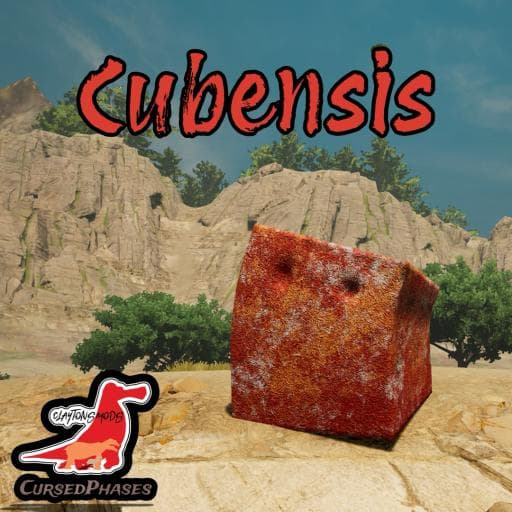
Cubensis
by Claydrian(359-819-215)
Description
The herbivorous Cubensis is a unique, cube-shaped organism with a fleshy body that moves efficiently across various terrains, even able to hover over steep cliffs. In terms of strategy, they are highly tactical, using "hit and run" and "wait-and-see" methods to outsmart stronger opponents. They can delay an attacker, creating a temporary wall of flesh to slow down the threat. Despite their love for moisture, they fear drowning and will remain energized as long as they struggle to swim, though if they calm, they will eventually sink.
Credits:
DnBGClaytonBaby - Creator
Pnoodle5 - Materials
Tiskis - Ability Icons
CocktailBourbon/JadeReap - Ability Icons
Fowlmarlee - Skins
Cynderlie - Skins
Boatman - Skins
DinoDude - Rigging/Misc/Trophy
TheDoctorTHE11th - Misc
How to install on a Path of Titans community server
Three steps. Stop the server first - mod changes only apply on startup.
- 1
Find the Mod ID
In Path of Titans, open the Mods page, select the mod, and copy the Mod ID (it looks like
UGC_M_...).For this mod:
UGC_M_43GE6Z1ENR_SK(use the Copy button on the right). - 2
Edit your server files
- Log in to your server panel and STOP the server.
- Navigate to the config directory, usually:
/PathOfTitans/Saved/Config/LinuxServer - Open
GameUserSettings.iniand find or create the header:
[PathOfTitans.Mods]
EnabledMods=UGC_M_43GE6Z1ENR_SK
#Cubensis
Add a new
EnabledMods=ModIDline for each mod you want enabled. The#line is an optional comment - useful for keeping the file readable when you have many mods.Save the file and restart your server. The mod downloads on startup.
- 3
Setting up a custom map (if applicable)
If the mod is a custom map, you also need to set the map name in
Game.ini:- Get the map file name from the mod author or the mod files (look for a
.umap). - Open
Game.iniand add under the[/Script/PathOfTitans.IGameSession]header:
[/Script/PathOfTitans.IGameSession]
ServerMap=MapFileName
Save the file and start your server.
- Get the map file name from the mod author or the mod files (look for a
Patch history(3 entries)
Latest Updated to latest game version.
Updated for latest game version.
Updated to latest game version.