
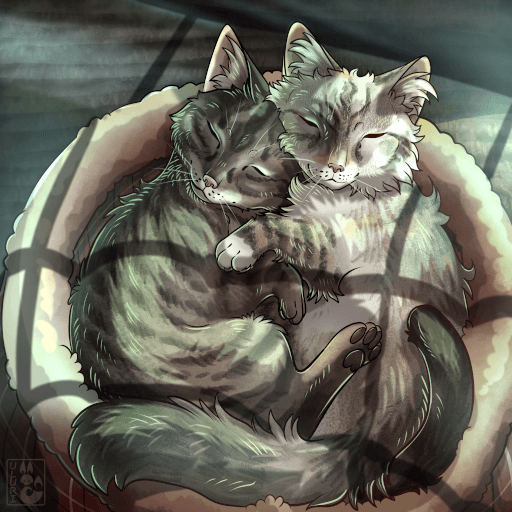
AsylumKitty
by Kai(077-363-159)
Description
Adds a playable small cat to the game and multiple creator mode items mostly themed around cats.
Also includes memorial tributes to the mod creators cat Shinichi, who is the main inspiration for this mod.
Model and animations by Malbers.
How to install on a Path of Titans community server
Three steps. Stop the server first - mod changes only apply on startup.
- 1
Find the Mod ID
In Path of Titans, open the Mods page, select the mod, and copy the Mod ID (it looks like
UGC_M_...).For this mod:
UGC_M_4RM0KND0ZY_SK(use the Copy button on the right). - 2
Edit your server files
- Log in to your server panel and STOP the server.
- Navigate to the config directory, usually:
/PathOfTitans/Saved/Config/LinuxServer - Open
GameUserSettings.iniand find or create the header:
[PathOfTitans.Mods]
EnabledMods=UGC_M_4RM0KND0ZY_SK
#AsylumKitty
Add a new
EnabledMods=ModIDline for each mod you want enabled. The#line is an optional comment - useful for keeping the file readable when you have many mods.Save the file and restart your server. The mod downloads on startup.
- 3
Setting up a custom map (if applicable)
If the mod is a custom map, you also need to set the map name in
Game.ini:- Get the map file name from the mod author or the mod files (look for a
.umap). - Open
Game.iniand add under the[/Script/PathOfTitans.IGameSession]header:
[/Script/PathOfTitans.IGameSession]
ServerMap=MapFileName
Save the file and start your server.
- Get the map file name from the mod author or the mod files (look for a
Patch history(4 entries)
Latest Updated to latest game version.
- Fixed firestarter skin referencing files from "felinae" mod.
- Added impish subspecies [Festive]
- Added mythical subspecies [Festive]
- Adjusted cooldown limiter for healing, combat, and survival call sets. Now when one is used it doesn't activate the cooldown for all others of that type.
- Updated to latest game version.
- Fixed emissive text on memorial statues.
- Added general stat preview bars in character creation.
- Lowered the price of nest complexity of decor.
- Allowed crystal decor to align to terrain as well as be placed on ceilings.
- Fixed crystal dispenser creator object still saying amber when taking from it.
- Fixed crystal decor item using wrong image.
- Fixed character skin select preview.
- Adjusted camera position.
- 9 lives should now properly disable damage while activated.
- Lowered cat tree prop slightly
- Lemur skin by Miragedtheory, concept by xCoffee