
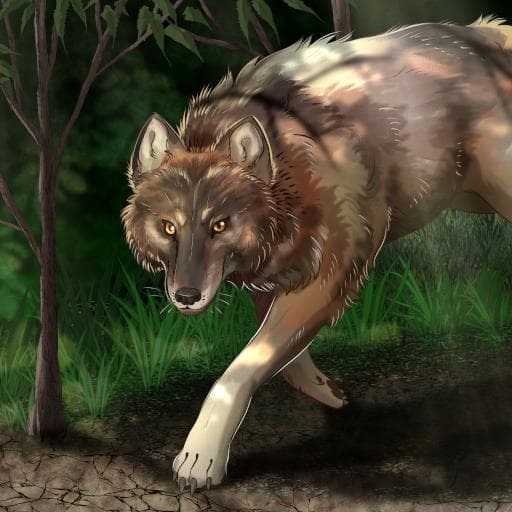
Asylum Wolf
by Kai(077-363-159)
Description
Adds various types of canids to the game ranging from medium to large such as grey wolf, maned wolf, african wild dog, and dire.
Model and most animations originally by Malbers Animations.
Mod assembled by Kai ♂#1412 / KaitouCat from the Isle Of Asylum community.
How to install on a Path of Titans community server
Three steps. Stop the server first - mod changes only apply on startup.
- 1
Find the Mod ID
In Path of Titans, open the Mods page, select the mod, and copy the Mod ID (it looks like
UGC_M_...).For this mod:
UGC_M_63405GX08W_SK(use the Copy button on the right). - 2
Edit your server files
- Log in to your server panel and STOP the server.
- Navigate to the config directory, usually:
/PathOfTitans/Saved/Config/LinuxServer - Open
GameUserSettings.iniand find or create the header:
[PathOfTitans.Mods]
EnabledMods=UGC_M_63405GX08W_SK
#Asylum Wolf
Add a new
EnabledMods=ModIDline for each mod you want enabled. The#line is an optional comment - useful for keeping the file readable when you have many mods.Save the file and restart your server. The mod downloads on startup.
- 3
Setting up a custom map (if applicable)
If the mod is a custom map, you also need to set the map name in
Game.ini:- Get the map file name from the mod author or the mod files (look for a
.umap). - Open
Game.iniand add under the[/Script/PathOfTitans.IGameSession]header:
[/Script/PathOfTitans.IGameSession]
ServerMap=MapFileName
Save the file and start your server.
- Get the map file name from the mod author or the mod files (look for a
Patch history(6 entries)
Latest - Buncha new ability icons curtesy of Miragedtheory.
- Changed "Pack hunter" to buff bone break instead of pounce stamina stuff.
- Blood thirsty skin.
- Piebald skin. Both by Miragedtheory.
Updated to latest game version.
- Enabled glow on Autumn seasonal glowing skins.
- Disabled glow on Spring seasonal glowing skins.
- Trimmed files down some.
Updated to latest game version.
Updated for latest game version.
- Fixed small issue where "stunning lunge" para amount was raised far higher than what was intended due to a typo.