
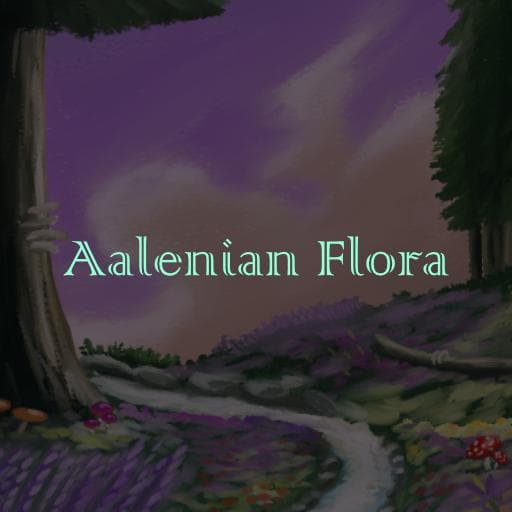
Aalenian Flora
by DupaSlayer(480-122-449)
Description
Aalenian Flora adds multiple types of plants, fungi, rocks, insects, and shells to Path of Titans. Additions are accessible in the creator mode menu or as nest and home cave decorations.
Interactable CMO:
- Achillea (yarrow) patches: yellow and purple
- Astral crystal cluster - eating clears effects
- Boletus (fungi) cluster
- Canna patch
- Earth crystal cluster - eating provides enhanced healing
- Flowering grass patch - characters can graze this if they can eat flowers
- Hydrangea patches: pink and blue - eating its cyanogenic glycoside gives the hydrangea effect, nullifying health regen and increasing stamina regen due to the ensuing panic
- Lightning crystal cluster - eating provides enhanced speed and maneuverability
- Lush grass patch - characters can graze this if they can eat berries
- Mud pile (treeless)
- Tree bridge - characters can push the tree down to make a bridge
- Verdant root cluster - eating significantly replenishes thirst
- Waterstone cluster - eating significantly replenishes thirst
Inexhaustible Food Source CMO:
- Amanita aeterna cluster - forever fungus, edible by all characters
- Canna aeterna patch - forever flowers
- Taxus aeterna patch - forever berries
Non-Interactable CMO:
- Large Alnus (alder) trees whose branches have collision
Nest and Home Cave Decorations
- Various plants, fungi, rocks, insects, bones, and shells from the unmodded game otherwise unavailable as purchasable decorations
- Versions of many interactable CMOs from this mod
Object appearances respond to weather by blowing more in the wind and looking wet in the rain, disabled when graphics are set to low.
How to install on a Path of Titans community server
Three steps. Stop the server first - mod changes only apply on startup.
- 1
Find the Mod ID
In Path of Titans, open the Mods page, select the mod, and copy the Mod ID (it looks like
UGC_M_...).For this mod:
UGC_M_5XN7VDP7PZ_SK(use the Copy button on the right). - 2
Edit your server files
- Log in to your server panel and STOP the server.
- Navigate to the config directory, usually:
/PathOfTitans/Saved/Config/LinuxServer - Open
GameUserSettings.iniand find or create the header:
[PathOfTitans.Mods]
EnabledMods=UGC_M_5XN7VDP7PZ_SK
#Aalenian Flora
Add a new
EnabledMods=ModIDline for each mod you want enabled. The#line is an optional comment - useful for keeping the file readable when you have many mods.Save the file and restart your server. The mod downloads on startup.
- 3
Setting up a custom map (if applicable)
If the mod is a custom map, you also need to set the map name in
Game.ini:- Get the map file name from the mod author or the mod files (look for a
.umap). - Open
Game.iniand add under the[/Script/PathOfTitans.IGameSession]header:
[/Script/PathOfTitans.IGameSession]
ServerMap=MapFileName
Save the file and start your server.
- Get the map file name from the mod author or the mod files (look for a
Patch history(2 entries)
Latest Updated to latest game version.
R 21