
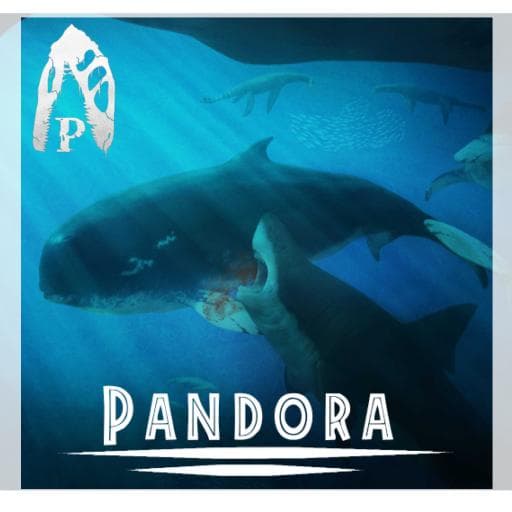
Pandora: Megalodon
by Bondex_YT(425-284-526)
Description
Otodus megalodon, a 15-meter prehistoric shark from the Cenozoic era.
Thanks to everyone:
- 3D Model Pxltiger
- Animation Equites
- Skin Equites Thekingoffdemonsandherempire
- Server Testing Ender Funkei -Logo Mod JET
Also, thanks to the PoT (Path of Titans) modding community for helping me fix some bugs.
How to install on a Path of Titans community server
Three steps. Stop the server first - mod changes only apply on startup.
- 1
Find the Mod ID
In Path of Titans, open the Mods page, select the mod, and copy the Mod ID (it looks like
UGC_M_...).For this mod:
UGC_M_RD1EP660XG_SK(use the Copy button on the right). - 2
Edit your server files
- Log in to your server panel and STOP the server.
- Navigate to the config directory, usually:
/PathOfTitans/Saved/Config/LinuxServer - Open
GameUserSettings.iniand find or create the header:
[PathOfTitans.Mods]
EnabledMods=UGC_M_RD1EP660XG_SK
#Pandora: Megalodon
Add a new
EnabledMods=ModIDline for each mod you want enabled. The#line is an optional comment - useful for keeping the file readable when you have many mods.Save the file and restart your server. The mod downloads on startup.
- 3
Setting up a custom map (if applicable)
If the mod is a custom map, you also need to set the map name in
Game.ini:- Get the map file name from the mod author or the mod files (look for a
.umap). - Open
Game.iniand add under the[/Script/PathOfTitans.IGameSession]header:
[/Script/PathOfTitans.IGameSession]
ServerMap=MapFileName
Save the file and start your server.
- Get the map file name from the mod author or the mod files (look for a
Patch history(1 entry)
Latest Texture fixes
NOTE:
Skins will be added at a later date.IMPORTEN:
The Megalodon currently has a minor bug: it breathes at the surface, which it shouldn't be doing.
Given the community's enthusiasm and demand, I have decided to release it before fixing this bug, as I am currently experiencing an issue with my computer. Once this problem is resolved, the bug will be fixed as soon as possible.