
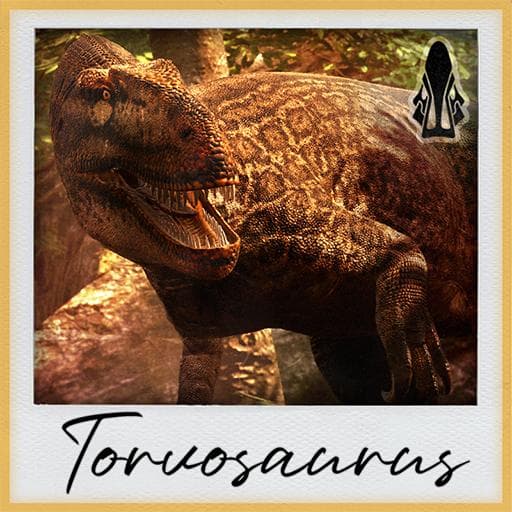
KTO Additions | Torvosaurus
by SergiKTO(211-411-649)
Description
A 4 slot bruiser, focused on sustain and endurance throughout fights.
Skins by Fluff, Archie, Clay, Vivid, and Sergi
Animations by Toxic and Sergi
Mod Icon by Mei and Sergi
Everything else by Sergi
Testers: Toxic, Gooser, Caden, Mei, Blub, Fluff, and Sergi
How to install on a Path of Titans community server
Three steps. Stop the server first - mod changes only apply on startup.
- 1
Find the Mod ID
In Path of Titans, open the Mods page, select the mod, and copy the Mod ID (it looks like
UGC_M_...).For this mod:
UGC_M_Z85EQ6VE2V_SK(use the Copy button on the right). - 2
Edit your server files
- Log in to your server panel and STOP the server.
- Navigate to the config directory, usually:
/PathOfTitans/Saved/Config/LinuxServer - Open
GameUserSettings.iniand find or create the header:
[PathOfTitans.Mods]
EnabledMods=UGC_M_Z85EQ6VE2V_SK
#KTO Additions | Torvosaurus
Add a new
EnabledMods=ModIDline for each mod you want enabled. The#line is an optional comment - useful for keeping the file readable when you have many mods.Save the file and restart your server. The mod downloads on startup.
- 3
Setting up a custom map (if applicable)
If the mod is a custom map, you also need to set the map name in
Game.ini:- Get the map file name from the mod author or the mod files (look for a
.umap). - Open
Game.iniand add under the[/Script/PathOfTitans.IGameSession]header:
[/Script/PathOfTitans.IGameSession]
ServerMap=MapFileName
Save the file and start your server.
- Get the map file name from the mod author or the mod files (look for a
Patch history(8 entries)
Latest Updated to latest game version.
- Sped up tail swipe animation
Updated to latest game version.
- Added Carnophage overrides
- Possible fix for AP not scaling with locational damage
- Possible fix for Final Blow not being able to proc twice in combat
Updated for latest game version.
- Fixed Rejuvenating stacks not healing through bleed
- Adjusted baby calls falloff
- Added new Braced Trot passive to make traveling easier
- Increased acceleration by 20%
- Fixed Revitalized description showing the wrong number. Just to be clear, it always healed 40, the description was wrong
- Fixed Final Blow description as well
- Fixed Woodland p3 looking grainy from the distance
- Fixed bucking
- Added curve overrides for TotH, Rej Scales, Everlasting, and Stable Footed
- Added Daintree white rarity skin by Vividsky